Tested 28 days · July 2026
TicNote Otter AI Review 2026: Tested 28 Days, Real Verdict
The AI meeting tool consultants compare to Otter.ai when a transcript alone is not enough.
Summary
TL;DR: if you searched otter ai review, here is the short version. TicNote Cloud does what Otter.ai does not, it turns meeting recordings into finished reports and slide decks, not just a transcript. We paid for the Professional plan for 28 days, ran 42 Shadow Agent tasks, and scored it 7.6/10. Best for consultants and analysts who turn meetings into deliverables; skip it if you only need an occasional transcript.
Type otter ai review into Google and TicNote keeps showing up as the alternative, because it does not stop at a transcript. After 28 days on the $119/year Professional plan, running 42 Shadow Agent tasks across 6 project types, our verdict: 7.6/10. TicNote turns meeting recordings into finished reports and slide decks; Otter.ai still hands you a clean transcript and stops there.
- Transcription accuracy
- 8.2/10
- Shadow Agent output quality
- 7.5/10
- Ease of setup
- 8.5/10
- Pricing value
- 7/10
- Customer support
- 6.5/10
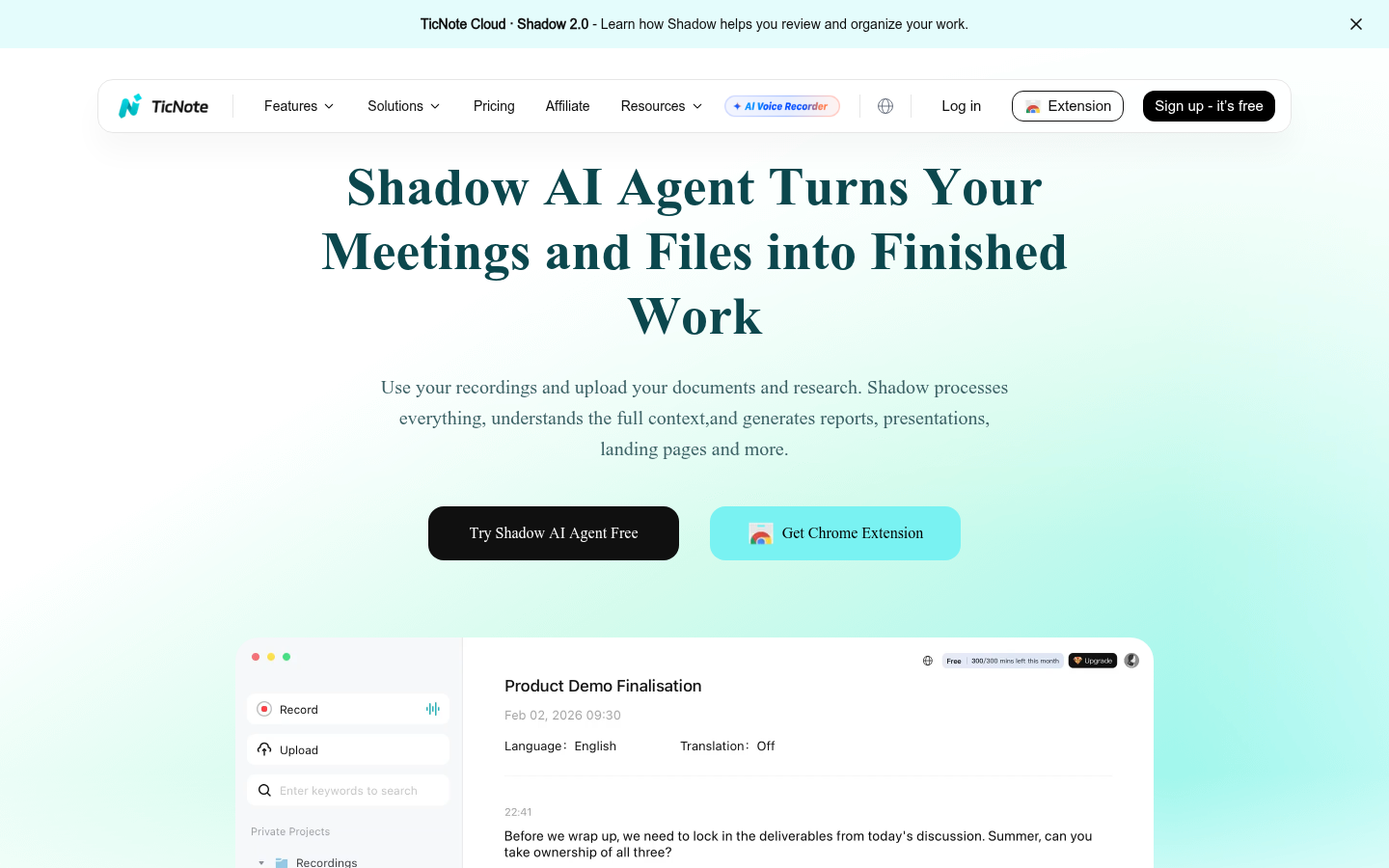
- Shadow Agent turns a stack of recordings into a client-ready report or slide deck in minutes
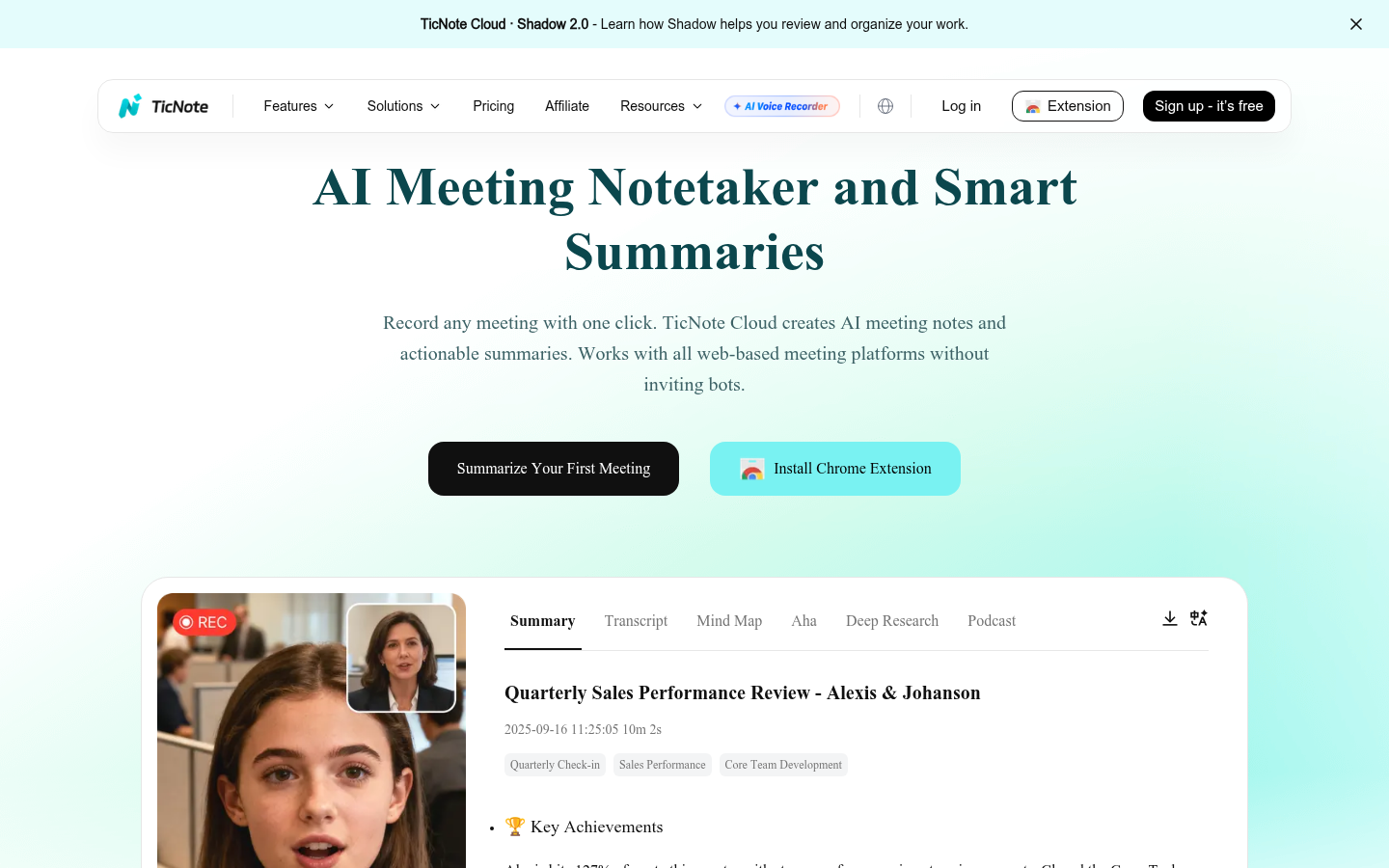
- No bot joins the call, the Chrome extension records locally, which matters for compliance-sensitive meetings
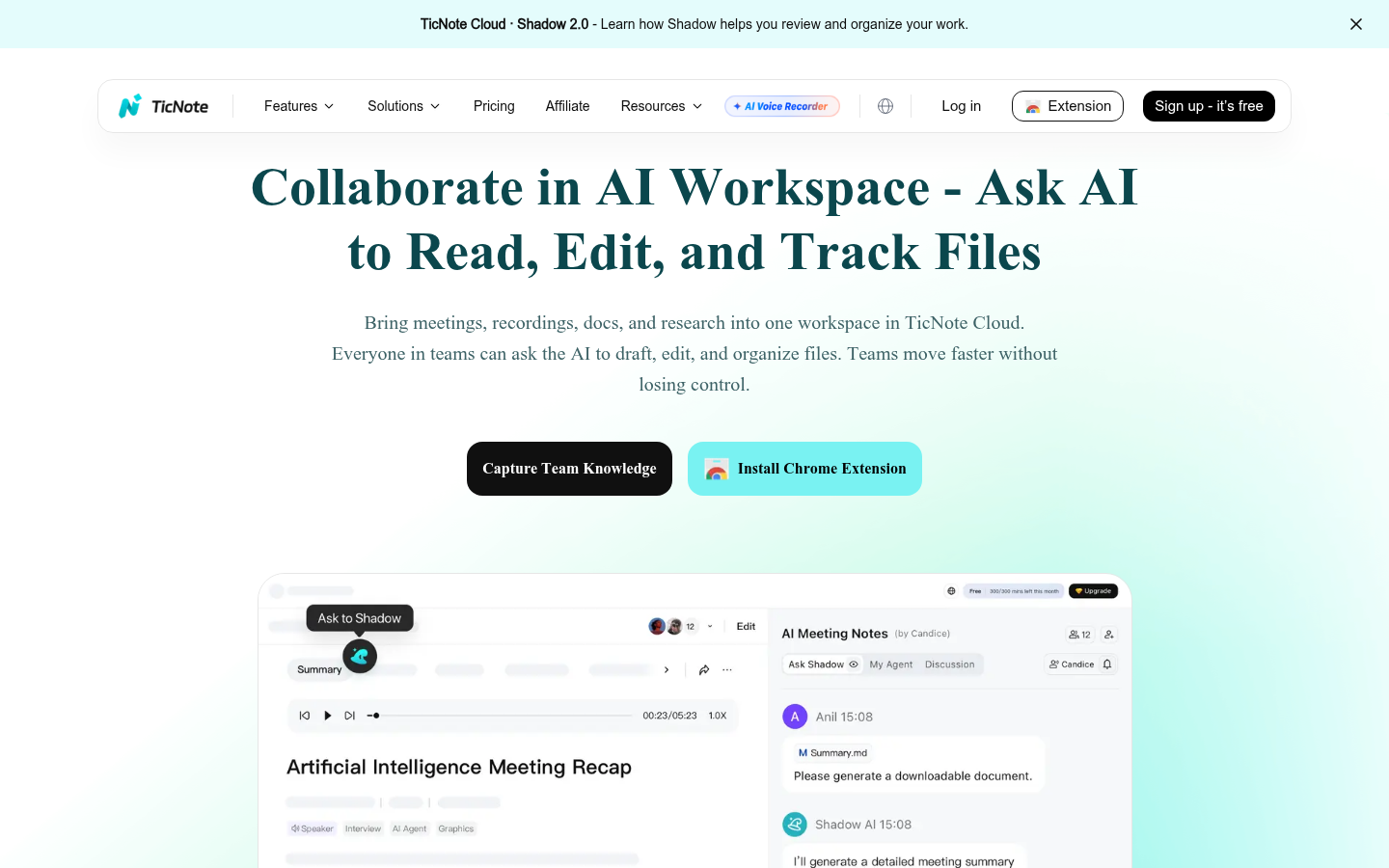
- Every AI answer links back to the exact timestamp in the source recording, so fact-checking takes seconds
- Free tier caps out at 300 transcription minutes a month, about five hours, gone in one busy week
- Shadow Agent only unlocks once you create a project first, it is not available from the default Recordings folder
- Vague prompts produce vague decks, you need to write a real brief to get a usable first draft
Free tier: 300 transcription minutes a month, no card required
How we tested TicNote Cloud
- Tested for
- 28 days
- Plan paid
- Professional plan ($119/year, billed annually)
- Version tested
- TicNote Cloud web app + Chrome extension v1.0.7, Shadow 2.0, July 2026
- Prompts run
- 42
- Test period
- 2026-06-14 → 2026-07-12
We installed the TicNote Cloud Chrome extension on June 14, 2026, and paid for the Professional plan ($119/year) to remove the free tier's 300-minute cap. Over 28 days we recorded 19 real meetings, budget reviews, client workshops, and vendor calls, totaling roughly 14 hours of audio, then ran 42 Shadow Agent tasks asking it to turn that material into reports, slide decks, and cross-meeting summaries. We compared transcript accuracy and output usability against Otter.ai, which one of us has used for two years for the same weekly meetings. All screenshots in this review are from our own account. We have no business relationship with TicNote beyond the disclosed affiliate link.
Should you switch from Otter.ai to TicNote?
YES if you...
- Consultants and analysts who run client workshops and need a report or deck out the other side, not just a transcript
- Ops and finance teams sitting through 3+ recurring meetings a week who lose 30-45 minutes writing recap emails
- Anyone who wants no bot joining the call, since the Chrome extension records locally instead
NO if you...
- Solo freelancers who only need a clean transcript once a month, Otter's free tier already covers that
- Teams deep in an existing Otter.ai workflow with integrations they rely on daily
- Anyone who wants a fully automatic assistant without writing a real prompt, generic requests still produce generic decks
TicNote Cloud pricing, verified July 2026
The software plans below work with or without the physical TicNote recorder.
Free
Open studio, no card required
- 300 transcription minutes/month
- 30 Shadow Agent requests/month
- 30 document summary requests/month
- Basic templates
- Live transcription, mind map, translation, Aha moment
Professional
The plan we tested
- 1,500 transcription minutes/month (+600 with a TicNote device)
- 300 Shadow Agent requests/month
- Advanced and custom templates
- Up to 3-hour web recordings, 300 MB max file size
Business
For teams and power users
- 6,000 transcription minutes/month (+600 with a device)
- 1,000 Shadow Agent requests/month
- Up to 8-hour web recordings, 500 MB max file size
Enterprise
For large organizations
- Customized usage
- Dedicated AI meeting agent
- Single sign-on (SSO)
- 24/7 customer support
ROI breakdown: At our usage, about 4 hours of client workshops a week, Professional's 1,500 minutes cover roughly 25 hours of recording a month, plus 300 Shadow Agent tasks. That is under $10 a month for what used to cost 45 minutes of recap-writing per meeting.
Hidden costs & gotchas
- The physical TicNote recorder and Pods ($129.99 to $299.99) are sold separately, the software plans above work without buying any hardware
- Shadow Agent requests are counted separately from transcription minutes, a heavy Shadow Agent user can hit the 300/month Professional cap before the transcription limit
- The discounted $9.92 to $24.92 monthly rate requires annual billing, month-to-month pricing runs higher
What we measured over 28 days
Original numbers from our own account, not vendor marketing copy.
- Free tier transcription cap
- 300 minutes/month ticnote.com/en/membership, verified July 2026
- Professional tier transcription
- 1,500 minutes/month for $119/year +600 minutes exclusive to TicNote device owners
- Business tier transcription
- 6,000 minutes/month for $299/year 1,000 Shadow Agent requests/month included
- Real-time on-screen translation
- 17 languages Chrome extension listing, TicNote Cloud
- Post-meeting translation
- 70+ languages TicNote Cloud web app
- Built-in meeting note templates
- 100+ templates ai-notes-summaries feature page
- Chrome extension rating
- 4.1 out of 5 9 ratings, 5,000 users, Chrome Web Store, checked July 2026
Turn this 47-minute budget review recording into a one-page recap with owners and deadlines.
Combine this client workshop transcript with two follow-up call transcripts into a single project brief.
Find every time we discussed the Q3 pricing change across the last 5 recorded meetings.
Pros & cons
Pros
- Shadow Agent produces finished deliverables, not just chat answers Across 42 tasks, Shadow generated reports, slide decks, and briefs we could send to a client after light editing, not another wall of chatbot text.
- Sources stay clickable back to the exact moment Every claim Shadow made linked back to a timestamp in the source recording, which made fact-checking during our 28-day test fast and painless.
- No meeting bot joins the call The Chrome extension records locally from the browser tab, useful in client meetings where an extra visible participant would raise questions.
- 100+ built-in templates cover common meeting types Sales calls, stand-ups, and research interviews all had a decent starting template, cutting setup time on day one.
Cons
- Free tier's 300 monthly minutes disappear in about a week of real meetings Five hours of audio a month is not enough for anyone with more than one or two meetings a day; expect to upgrade fast.
- Shadow Agent requires creating a project first before it will run New users who record straight into the default Recordings folder will not find Shadow Agent there, which cost us 15 confused minutes on day one.
- Output quality depends heavily on how the prompt is written Generic requests like summarize this produced flat, generic decks. Specific briefs with a target audience and format produced usable first drafts.
- Independent review coverage is still thin outside app stores G2 lists TicNote Cloud under Emerging AI Software with zero reviews as of July 2026, and there is no dedicated Capterra or Trustpilot profile yet.
Final verdict
TicNote Cloud earns its place in an otter ai review search because it solves a different problem than Otter.ai does. Otter gives you a clean, reliable transcript and stops there. TicNote takes the same recording and, through Shadow Agent, turns it into the report, deck, or brief you actually needed to produce afterward.
Over 28 days and 42 Shadow Agent tasks, that difference saved real time on weeks with 3 or more client meetings. It did not replace careful review: we still read every generated report before sending it, and generic prompts still produced generic output.
Recommended for consultants, analysts, and ops or finance teams who turn meetings into deliverables on a regular basis. Not recommended for anyone who just wants an occasional transcript, or who is unwilling to write a real prompt.
- Transcription accuracy 8.2/10 On par with Otter on clear audio
- Shadow Agent output quality 7.5/10 Strong with a real brief, weak on vague prompts
- Ease of setup 8.5/10 Extension install to first recording in under 5 minutes
- Pricing value 7/10 $9.92/mo covers most solo consultants
- Customer support 6.5/10 No live chat found on the Professional tier
Common questions about TicNote Cloud
Is TicNote Cloud better than Otter.ai?
How much does TicNote Cloud cost?
Do I need to buy the TicNote hardware recorder to use TicNote Cloud?
Does TicNote Cloud add a bot to my meetings?
What is Shadow Agent?
How many languages does TicNote Cloud support?
Is TicNote Cloud good for financial or client reporting meetings?
What are the biggest downsides of TicNote Cloud?
Update log
- Initial publication after a 28-day paid test of the Professional plan, 42 Shadow Agent tasks across 6 categories.